Conversion Optimization Consulting: Benchmarks & Specialists
Learn what conversion optimization consulting covers, real benchmarks by traffic stage, and whether your conversion rate or your traffic is the actual problem.
Read →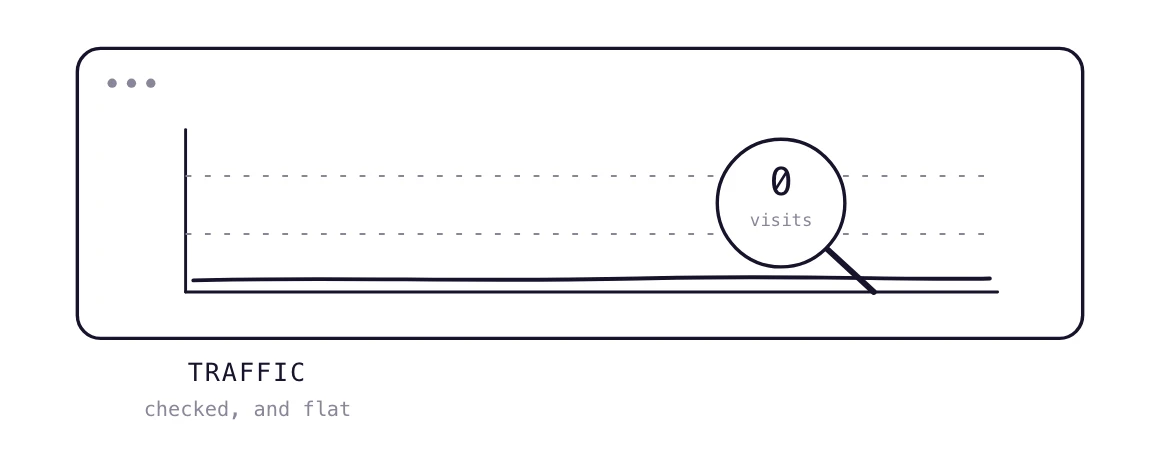
Open Google Search Console. Open Google Analytics. Look at the numbers.
If you built your site with Webflow, Framer, or Lovable and then walked away, here's what you'll see. Zero organic traffic. Maybe a handful of visits from your own clicks.
That's not a bug. That's a feature of the modern website builder trap.
Building a beautiful website is 5% of the work. The other 95% is what actually gets visitors. (Source: PilotDeck internal data from thousands of founders.)
This post shows you how to check traffic, why it's probably zero, and what to do about it without becoming a full-time content marketer.
Without Google Analytics or Search Console, you're blind. Most site builders let you add a tracking code in under 5 minutes. Do it now.
Search Console shows how many people click on your site from Google search results. If the numbers are under 50 clicks per month, your site is invisible to Google.
This shows all traffic: organic, direct, referral, social. If total sessions are under 100 per month, you're not getting meaningful traffic.
Google is not your only problem. ChatGPT, Claude, Gemini, and Perplexity are becoming major traffic sources. Most founders never check if AI crawlers can even access their site.
PilotDeck audits not just Google, but also whether ChatGPT, Claude, Gemini, Perplexity, and Google AI Overviews can find, read, and cite your site. (Source: PilotDeck audit tool.)
You built a site. You wrote a few pages. You pressed publish. Then you waited.
That's exactly what thousands of founders do. And the result is always the same: zero traffic.
The reason is simple: Google and AI search engines don't care about your site just because it exists. They care about:
Most Webflow sites have 5–10 pages that never change. That's not a website. That's a digital brochure. (Source: PilotDeck analysis of Webflow sites.)
You might think: "I'll just optimize for Google, and AI will figure me out."
Wrong.
AI search engines (ChatGPT, Perplexity, Gemini) have different requirements. They need:
Your competitors optimize for Google. We optimize for the AI layer on top. That means every piece of content we create is optimized for both Google and AI search engines. (Source: PilotDeck positioning.)
You have three options:
Expensive. You'll pay $5,000–$10,000/month for writers, SEO specialists, and strategists. And you still need to manage them.
Time-consuming. You'll spend 20–40 hours per month on keyword research, writing, image creation, social distribution, and optimization. Most founders don't have that time.
This is where PilotDeck comes in. We combine AI speed with human quality. You spend under 10 minutes a month. We handle the rest.
With PilotDeck, you share your domain and fill a 3-minute form. We do the full SEO and GEO research: market read, competitor teardown, keyword and topic map, search intent, entity mapping for AI answers. Then we build the site, brand, and AI-ready foundation in 5–7 days. (Source: PilotDeck process.)
Stop guessing. Start measuring.
When you check traffic on a website, the numbers lie if you don't dig deeper.
The real question isn't "how much traffic do I have?" It's "how much traffic should I have?"
If you're a B2B SaaS founder, you should aim for at least 500–1,000 organic visits per month within 6 months of consistent content publishing. Anything less means your strategy needs fixing.
Building a website is easy. Getting traffic is hard.
Every day, founders launch beautiful sites with zero traffic. The ones who succeed treat their website as a growth engine, not a placeholder.
You don't need to become an SEO expert. You need a system that works for you.
PilotDeck is that system. One contract, no scope fights. We do the work. You get the traffic.
Check your website's AI and Google visibility for free. No signup. Takes about a minute.
You can't get accurate numbers without tools. Use Google Search Console (free) and Google Analytics (free). For AI engines, use PilotDeck's free audit. It checks ChatGPT, Claude, Gemini, and Perplexity in about a minute.
After 6 months of consistent publishing, aim for 500 to 1,000 organic visits per month. If you're below 100, your SEO strategy needs a major overhaul.
Not necessarily. AI crawlers have different requirements. Some websites that rank well on Google are invisible to ChatGPT. Use an AI audit to check.
No. Webflow is excellent. The problem is what happens after launch. Most Webflow users never publish content, never build keyword strategies, and never optimize for AI. That's the problem PilotDeck solves.
With a done-for-you service like PilotDeck, you spend under 10 minutes a month. Doing it yourself takes 20 to 40 hours.

Learn what conversion optimization consulting covers, real benchmarks by traffic stage, and whether your conversion rate or your traffic is the actual problem.
Read →75 sourced statistics on how fast generative AI is spreading, what it costs, who uses it at work, and whether people trust it, with every figure labeled and linked to its source.
Read →
See what b2b seo services actually include, tools vs agencies vs hybrid, plus a month by month checklist, read on to find the right fit for your budget.
Read →Hand over a domain. Research runs and your first article is written within the hour.
Start free trialCancel any month. Your site and content stay yours.